Using AI to Create a Content Plan (Without Overthinking It)
Don’t worry if this feels a little overwhelming at first. You’ve got this.
AI is simply a tool – you’re still in control. When it comes to creating a content plan, the real magic doesn’t come from the AI itself. It comes from what you put into it.
Think of AI like a sat nav. If you give it a vague destination, you’ll get vague directions. But if you’re clear about where you’re going, the route suddenly makes a lot more sense.
That’s exactly how I used AI to plan my content for the first three months of 2026.
Why the Quality of Your Content Plan Depends on You
One of the biggest myths around AI is that it somehow “knows” your business.
It doesn’t.
AI only works with the information you give it. The clearer you are, the better the output. When I sat down to create my content plan, I didn’t just ask for “some blog ideas”. I gave context, structure, goals, and constraints.
Here’s what I made sure to include:
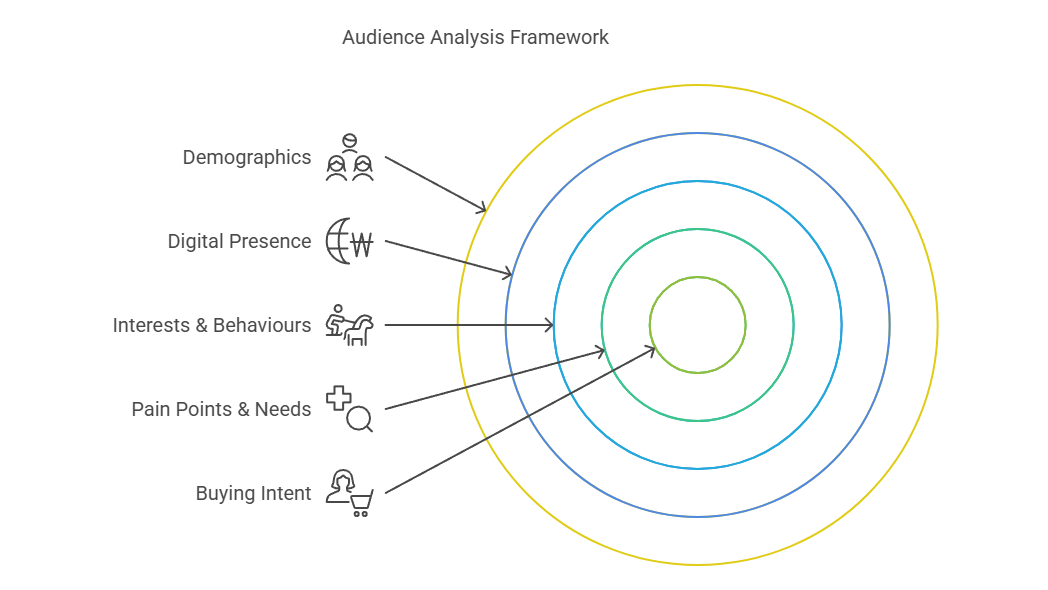
- Who the content is for
- What my business actually does
- The topics I want to be known for
- How often I realistically publish content
- What action I want readers to take
Let’s break this down step-by-step — because this is the bit that really matters.
The Exact Prompt I Used to Create My 3-Month Content Plan
You are an AI assistant specialising as an expert Content Marketer and Editorial Planner. I need help with building a 3-month content plan, targeting small business owners and business owners seeking SEO, answer engine optimisation, websites, or AI consulting. Ensure the response includes the month, topic, and bullet points for each website and follows a structured approach.
The websites are:
editcon.digital — focused on SEO, AEO, websites, web services, and digital strategy
editcon.news — shares thought leadership and republishes content from the other three sites; serves as the content hub and newsletter driver
editcon.reviews — provides product and service reviews relevant to small business owners (e.g., software, planning tools, invoicing platforms)
editcon.community — membership-based, focused on teaching users how to build/update websites, use AI tools, and maintain optimisation
Your task is to create a topic calendar tailored to each site’s content focus, ensuring a balance between sales-driven and informational content using current expert advice on content strategy.
Provide the output in a table format with columns for Month, Website, Monthly Topic, and Bullet Points, written in British English and in the EdITCon voice, keeping the tone professional and limiting jargon.
You’re welcome to copy, paste, and adapt this prompt for your own business. Just remember: the more specific you are, the better your results will be.
This single prompt saved me hours of planning time — but only because I did the thinking upfront.
How This Fits Into a Bigger Digital Strategy
A content plan doesn’t exist in isolation. It supports your wider digital marketing efforts.
This is something we focus on heavily at EdITCon Digital, where content, SEO, and strategy work together — not as separate tasks, but as part of one clear system.
Five Good Tips for Creating a Content Calendar
Let’s finish with some practical advice you can apply today.
- Start with your audience, not the algorithm
Think about what your audience actually needs help with. Content becomes much easier when you stop trying to “game” the system. - Give AI proper context
The more background you provide, the more useful your content plan will be. AI isn’t magic — it’s responsive. - Plan realistically
One consistent post a week beats an ambitious plan you can’t keep up with. - Build in repurposing from the start
A single blog post can fuel social media, emails, and future updates. Think long-term. - Review and adjust regularly
Your content calendar isn’t set in stone. Treat it like a guide, not a rulebook.
You don’t need to create more content — you just need a clearer plan.
And now? You’re in a great position to do exactly that.
I’ve used the CRAFTER Framework to create my prompt.